整合 github action 自動發佈 npm package
本篇文章快速紀錄如何透過 github action 與 tag 做到 release 後自動發佈 npm pacakge
關於如何手動發佈 package 可以參考 發布 npm 套件
1. 申請 bypass 2fa 的 token
- 登入 https://npmjs.org
- 進入 Access Tokens 頁面產出 token,記得勾選 Bypass 2FA
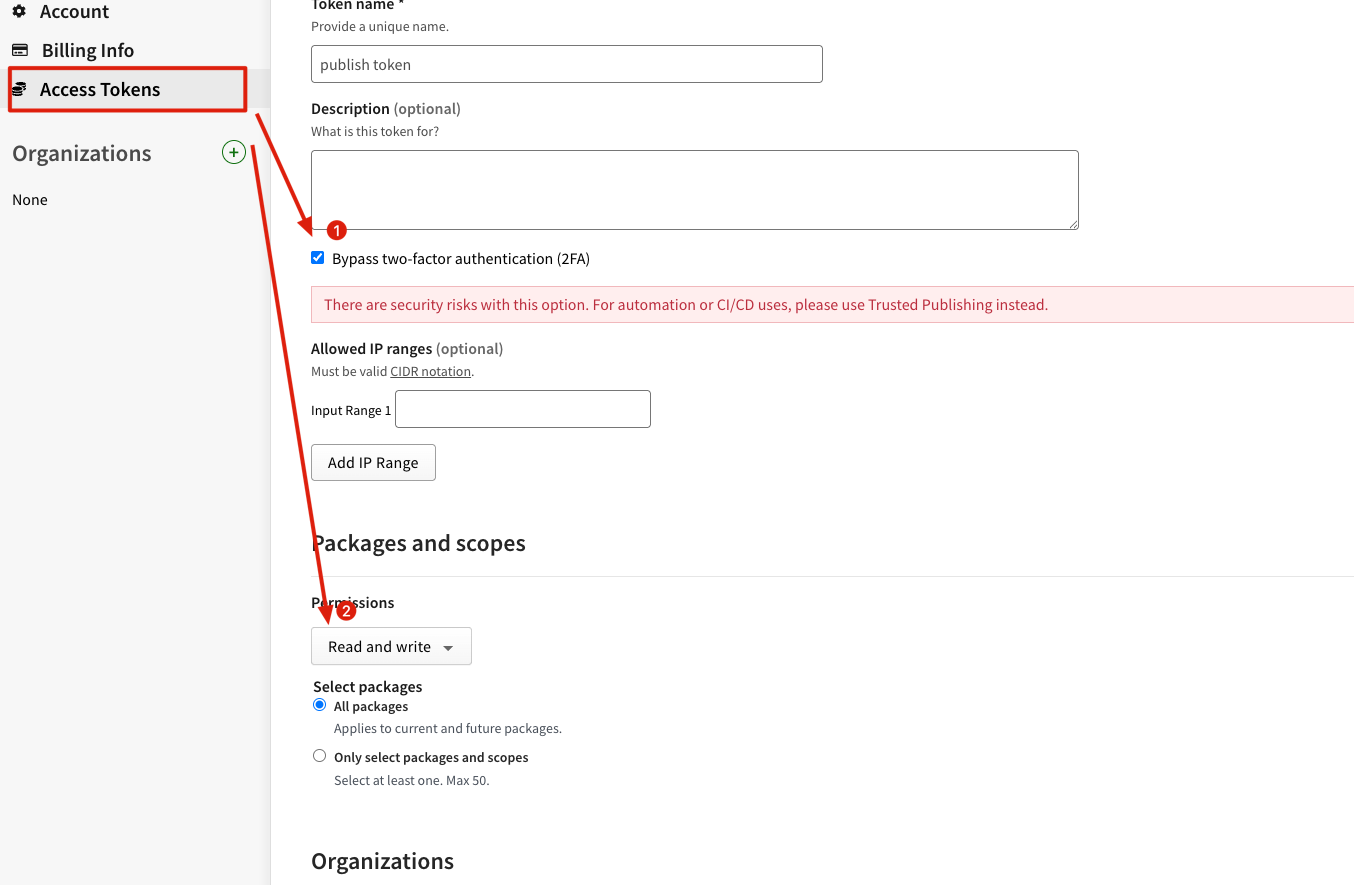
- 複製產生的 token 把它記起來
2. 設定 github secrets & release
- 進入您的 Repository -> Settings -> Secrets and variables -> Actions
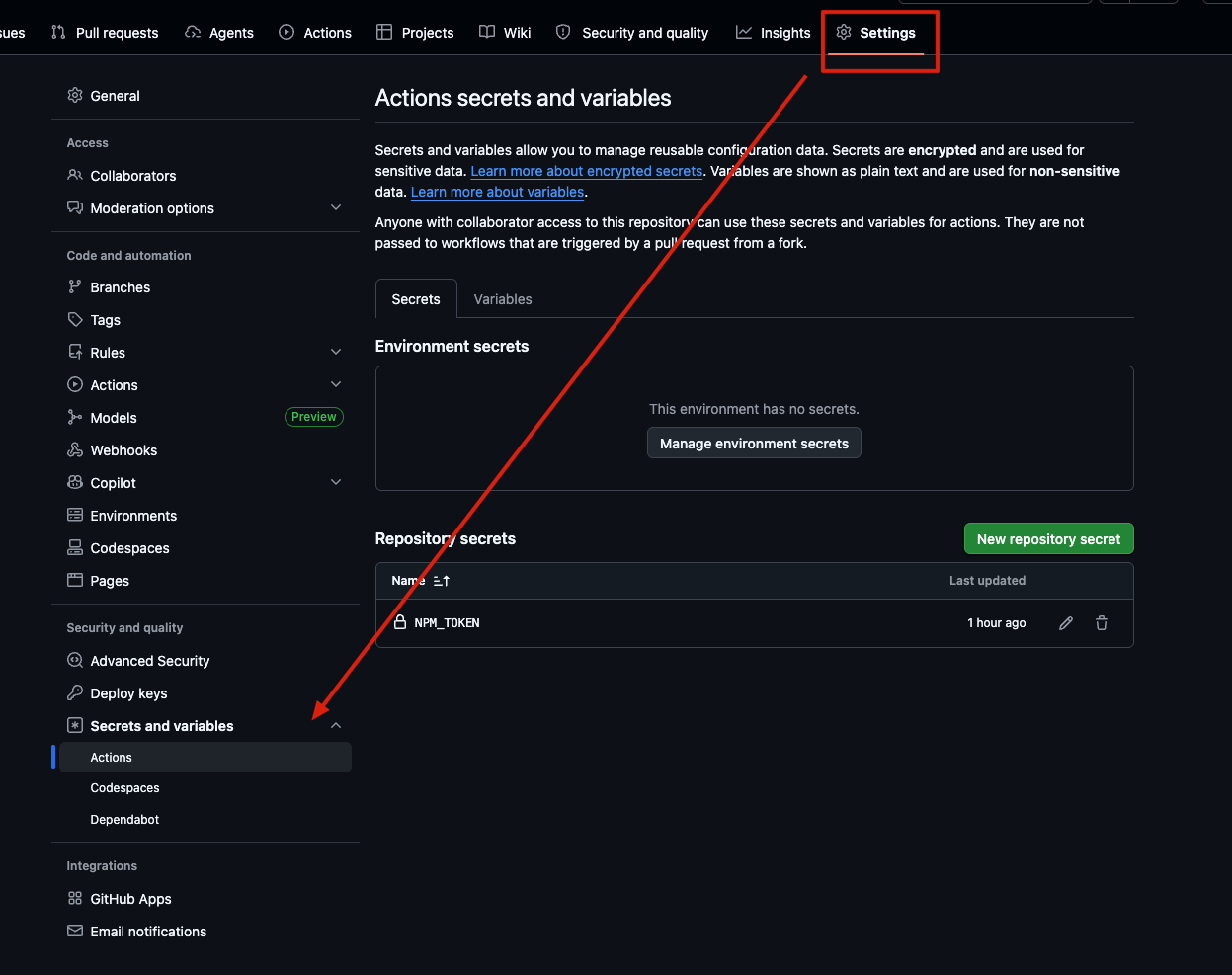
- 把複製的 token 命名
NPM_TOKEN並存入讓 github action 執行 publish 時可以取得 - 給予 Action 寫入權限
可以參考以下 yaml
name: Publish to npm

on:
  release:
    types: [published]

jobs:
  build-and-publish:
    runs-on: ubuntu-latest
    # gh release upload 需要寫入權限
    permissions:
      contents: write

    steps:
      - name: Checkout
        uses: actions/checkout@v5

      - name: Setup Bun
        uses: oven-sh/setup-bun@v2
        with:
          bun-version: latest

      - name: Install dependencies
        run: bun install

      - name: Build
        run: bun run build

      - name: Test
        run: bun run test

      # 打包 package.json 中的 files 到指定路徑 .tgz
      - name: Pack package
        run: npm pack

      # 將 .tgz 上傳到這次 github action 的 release,避免預設只提供 source code 壓縮檔
      # GITHUB_TOKEN 是每次 workflow 自動生成
      - name: Upload to GitHub Release
        env:
          GH_TOKEN: ${{ secrets.GITHUB_TOKEN }}
        run: gh release upload ${{ github.event.release.tag_name }} *.tgz

      # publish with npm access token
      - name: Publish to npm
        run: bun publish --access public
        env:
          NPM_CONFIG_TOKEN: ${{ secrets.NPM_TOKEN }}
3. 設定 package.json
這裡只列出關鍵設定
{
    "version": "0.0.1",
	"type": "module",
	"bin": {
		"prompt-translator": "./dist/cli.js"
	},
	"files": [
		"dist/**/*.js",
		"dist/**/*.d.ts",
		"dist/**/*.map",
		"!dist/**/*.test.*",
		"templates"
	],
}
發佈流程
- 寫完 code
git commit - 透過
npm version patch|minor|major自動更新 tag 與版號 - push tag
git push origin main --tags - 在 github 上建立 release 執行發佈
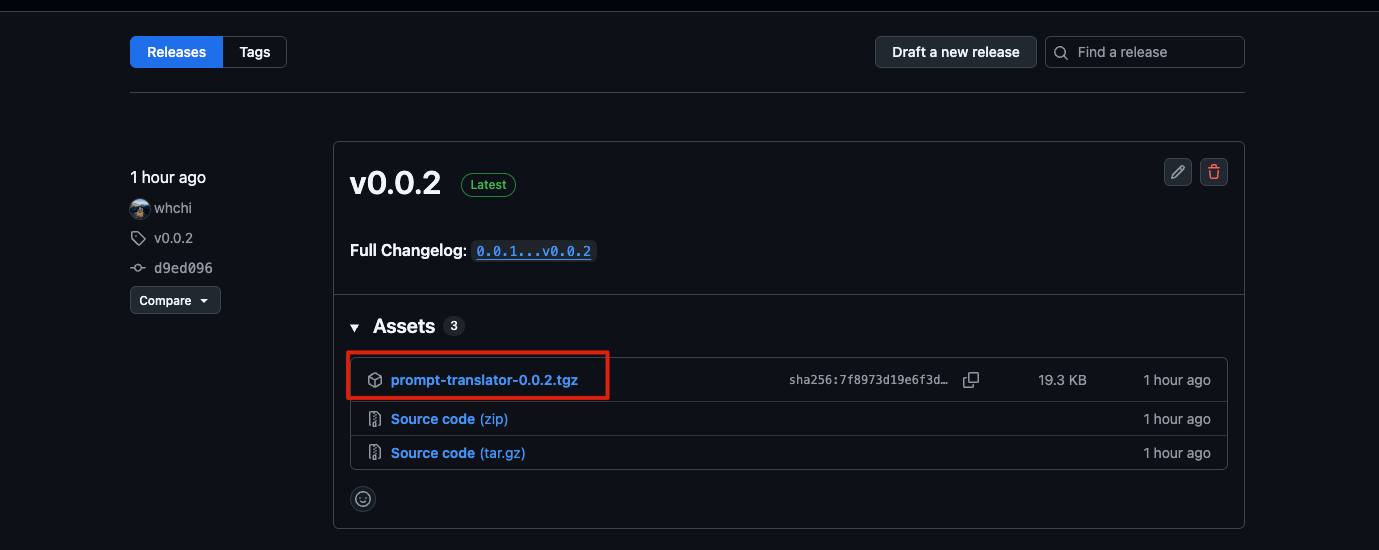 這樣就能做到同時用 tag 管理版本與自動發佈到 npm package 的流程了
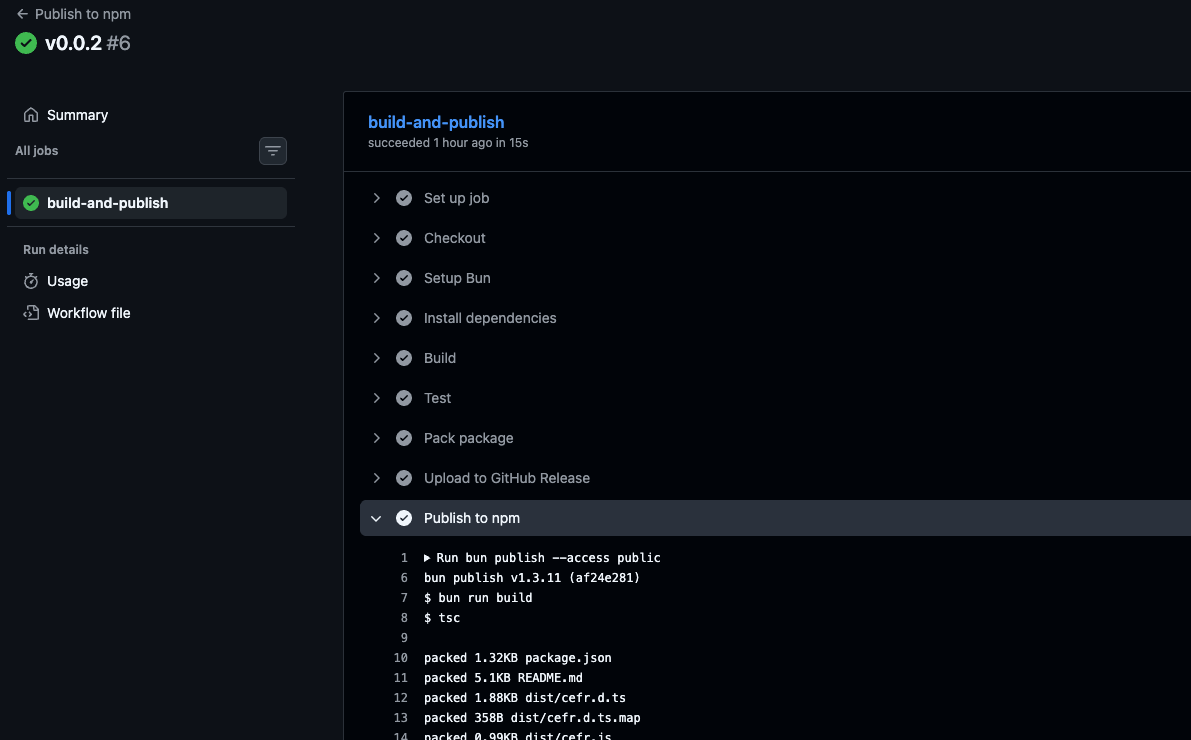
發佈時間
2026-4-1